01Products
Upload your product photos.

E-Commerce Product Photography
On a marketplace, your product photo is the first thing a shopper sees. With Vibedesign you create the main image, on-model frames and campaign visuals for marketplaces and your own store with AI — without changing your product or waiting for a shoot day.
Real VIBEDESIGN output
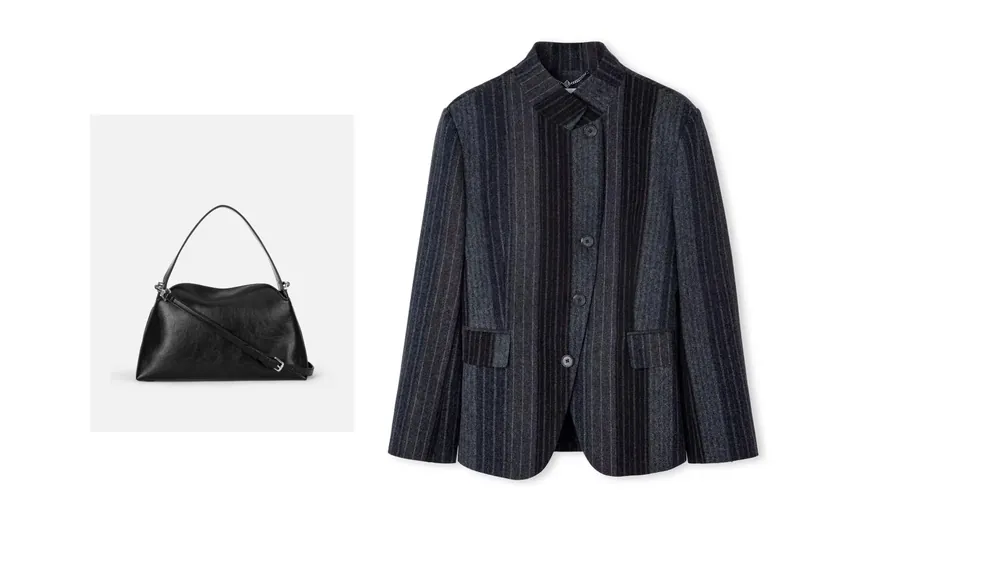
Bag and jacket in separate product photos, dressed on the reference model with the same light and street mood.
Upload your product photos.

Pick the frame that sets the scene.
The products, on a model.
Real VIBEDESIGN output
One bag photo becomes an on-model storefront frame on seaside rocks — colour blocks, hardware and shape kept.
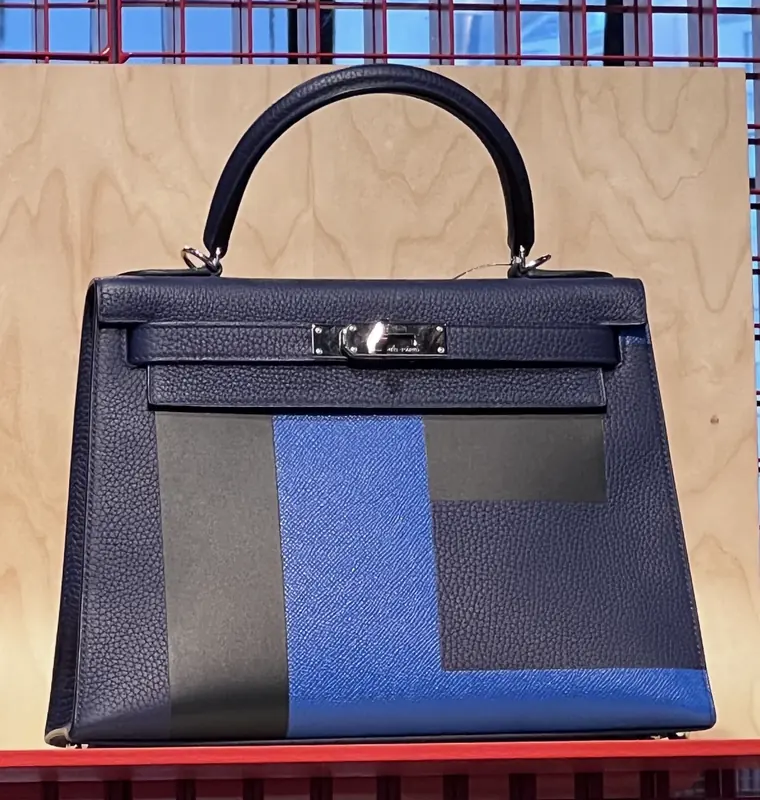
A single product photo.
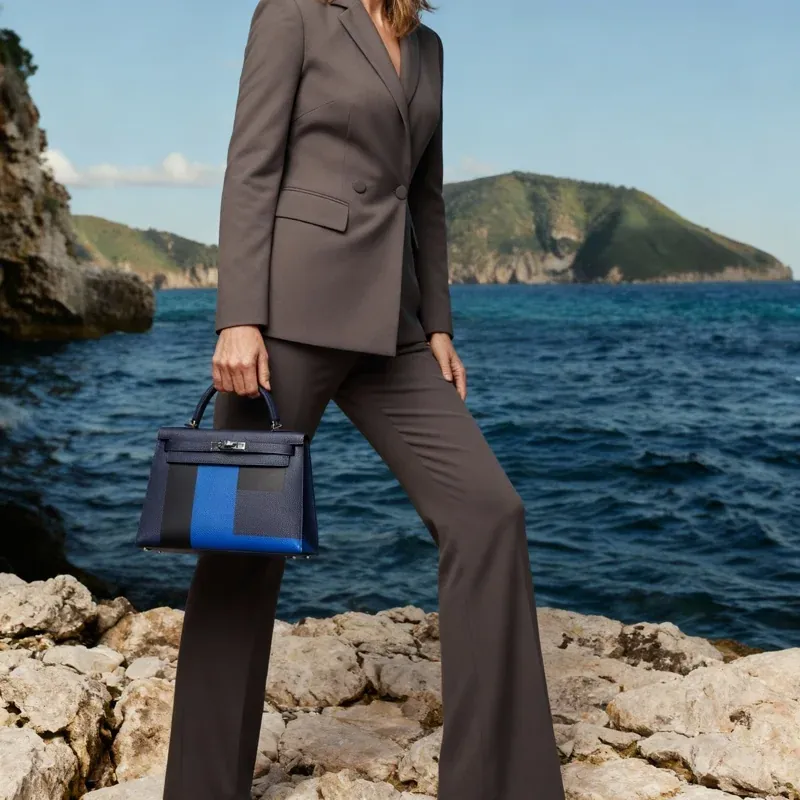
The same bag, a new scene.
01
Online, shoppers can't touch the product; they decide from photos. The main image decides whether you get the click in search results, and the rest of the gallery decides whether you get the add-to-cart. On-model frames answer fit and style questions; detail frames build trust in quality.
The problem is that building this gallery with a professional shoot for every product is slow and expensive, especially for sellers who change products often. AI lets you build it from the simple product photo you already have.
02
03
Marketplaces usually want a white or plain background, a centred and sharp product for the main image, and many categories have their own size and ratio rules. These rules change from time to time, so check the current image guidelines in your marketplace's seller centre before uploading.
In Vibedesign you can set the output size and ratio yourself: use Découpe for a clean main product image, and virtual try-on and pose variations for the rest of the gallery.
04
05
The biggest risk with AI-generated images is showing the product differently from reality. When a customer receives something different from the photo, returns and bad reviews follow. That's why Vibedesign starts from your product photo and aims to keep colour, pattern, cut and logo placement.
The final check should still be yours: compare every frame with the real product before publishing; if colour, size or details differ, don't use that frame and regenerate it.
Try it on your own product with the 3-day Access pass. One-time payment, no auto-renewal.